MoonTerminal · Chart ·
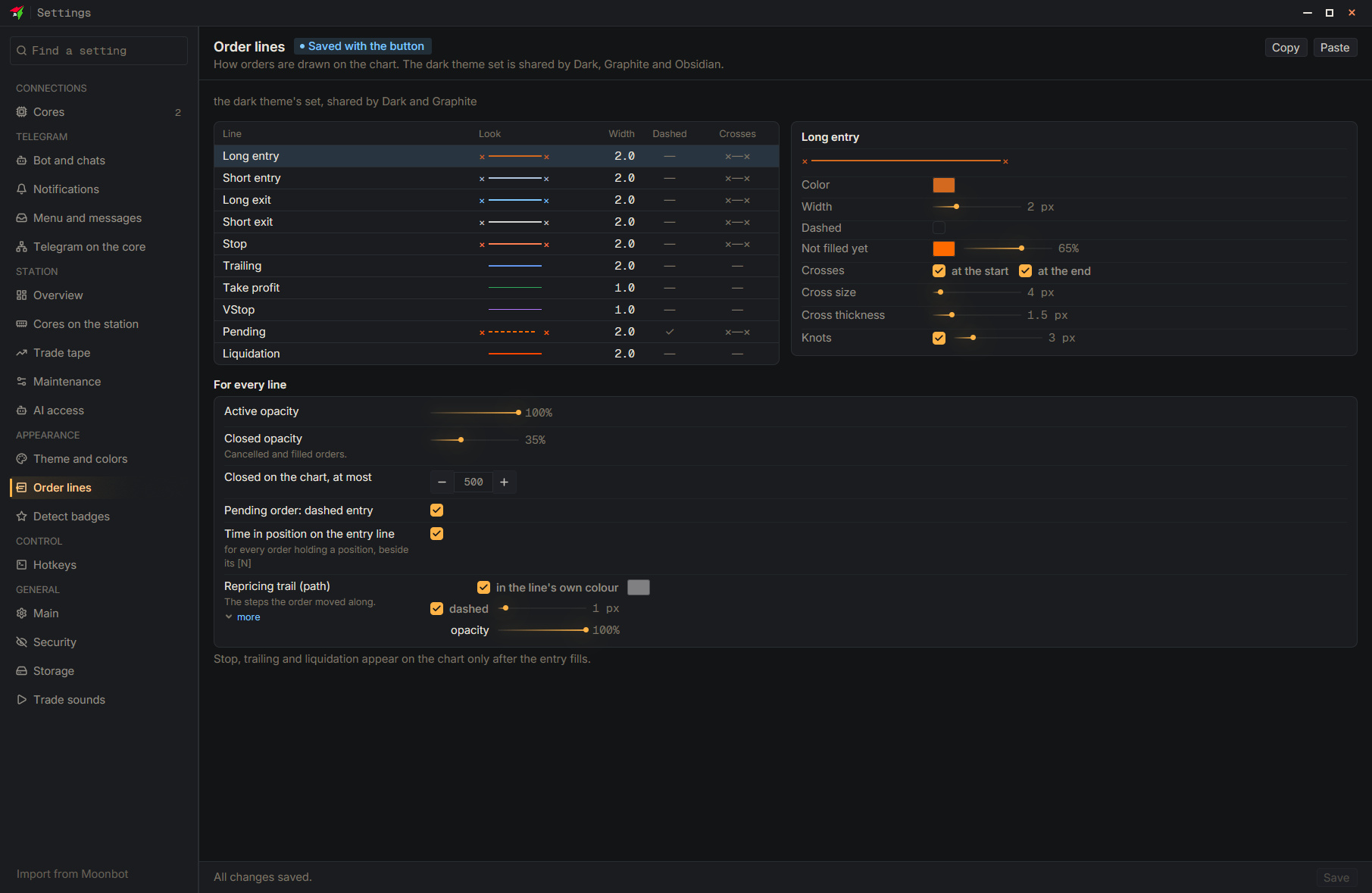
On the entry line of every order holding a position, next to its number, you can see how long that order has held it, for example “12m 03s [4]”. This is on by default; the “Time in position on the entry line” checkbox in Settings → Order lines, “For every line” block, turns it off, then “Save”. One time for the whole coin comes from the “Time in position” caption in the “Position” group (prefix “In trade”): it is not in the standard sets, so add it in “Chart labels” via “Edit module” → “+ Label”. It counts from the entry fill of the oldest order holding a position: adding to the position does not reset it, and when that order closes, the time is taken from the oldest of the remaining ones.
- Settings
- Order lines
- Time in position on the entry line — “For every line” block, on by default
- Separately. Chart labels — One time for the whole coin
- Edit module
- + Label
- Time in position — “Position” group