MoonTerminal · Chart ·
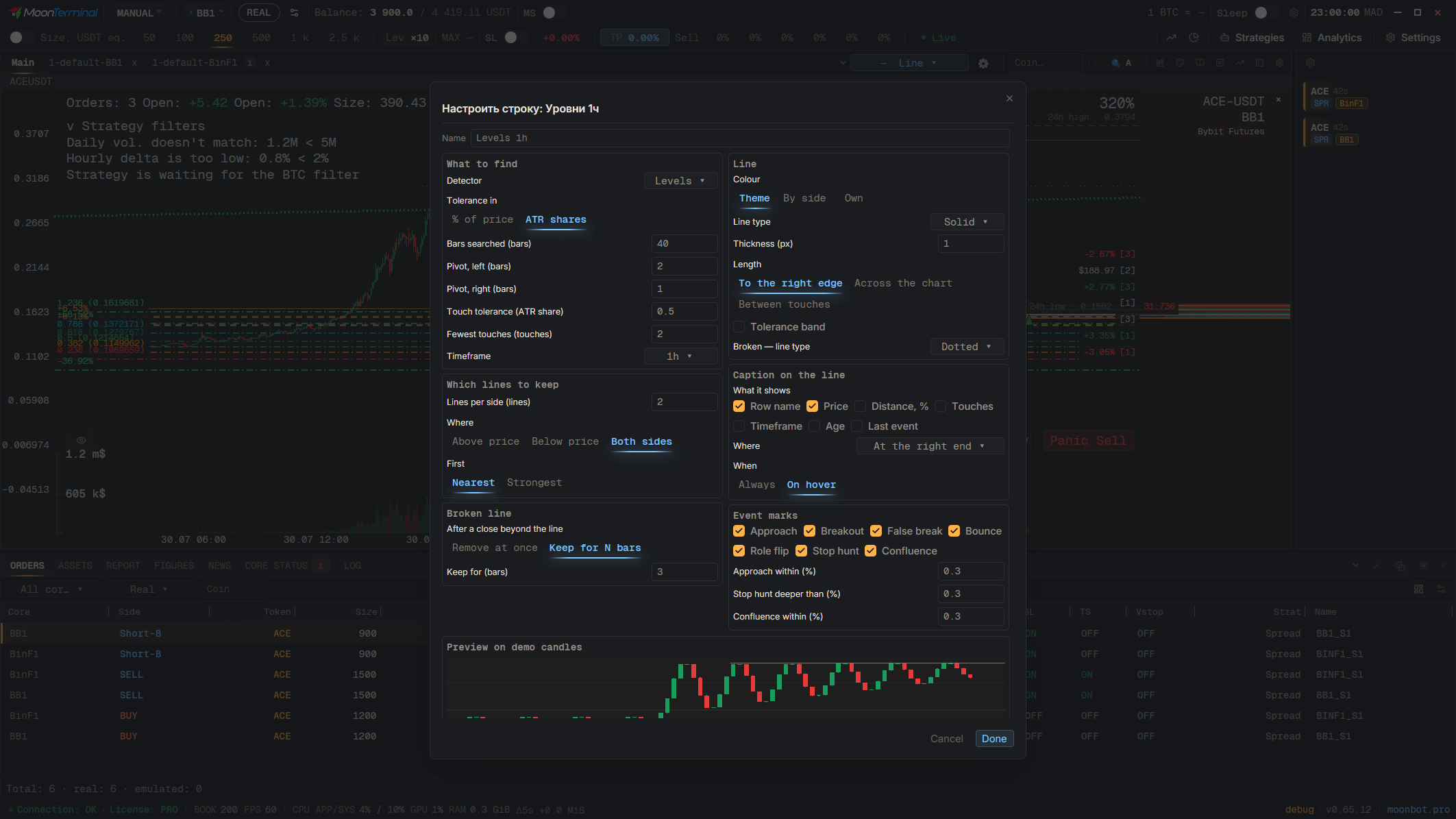
Hover the cursor over the auto line while holding Ctrl (Cmd on macOS), as with news on the chart. The card will show the row that drew the line, the timeframe, touches, age and event. Without Ctrl the card does not appear, so it does not get in the way during normal mouse movement. You can make the label on the line more detailed in the row editor: under “Label on line” tick “Distance, %”, “Touches”, “Timeframe”, “Age” and “Event”; for “When” choose “Always” or “On hover” (such labels are visible without Ctrl too).
- ACE — For example ACE: it opens on the Main chart
- Hover: Ctrl + hover over auto line — With Ctrl (Cmd) held, the card: row, timeframe, touches, age, event
- Auto figures — To set up the label on the line
- Levels 1h — The row name opens its editor
- Touches — What to write in the label
- When — “Always” or “On hover”