MoonTerminal · VPS and Linux ·
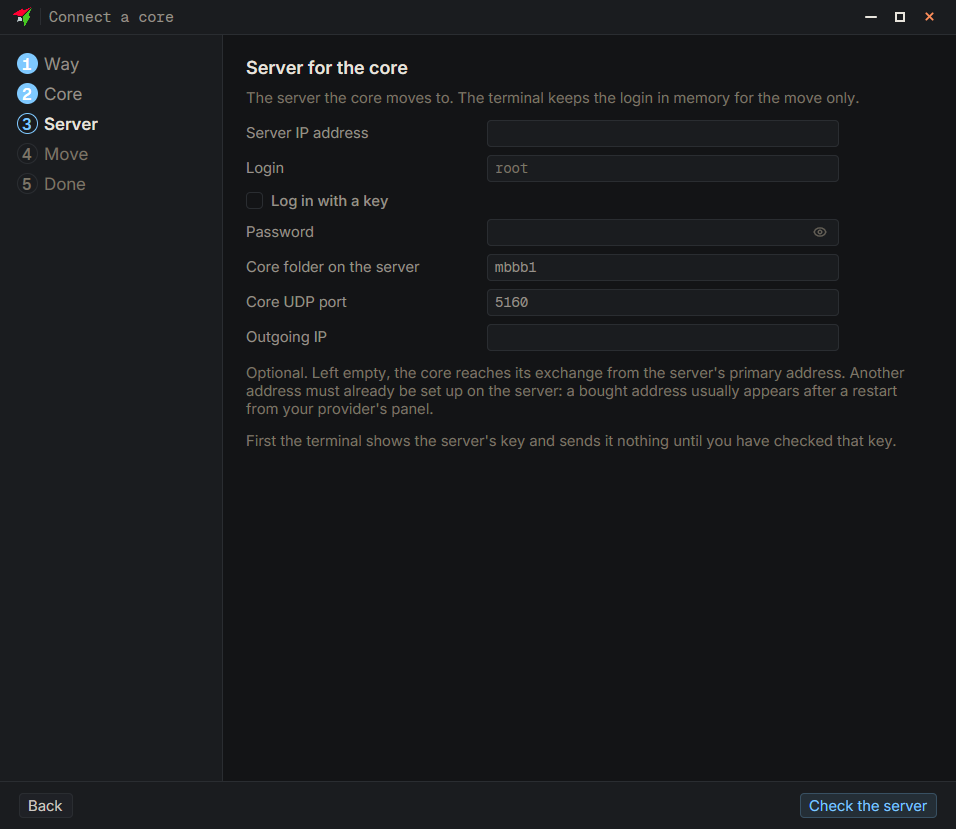
If the server has several IPv4 addresses, each core can be given its own outgoing address: the core connects to the exchange from it, and the terminal connects to the core at the server's address as usual. When installing a new core, the “Outgoing IP” choice is on the screen after the server check. When moving a core, it is the “Outgoing IP” field on the server step: empty means the server's main address. For a core that is already installed, use the command “Outgoing IP…”: in “Settings” right-click the Linux core in the cores list. The purchased address must already be configured on the server. Usually it appears after a server restart from the provider's panel. If it is not in the list, restart the server, click “Back” and check the server again. Binding needs systemd 255 or newer (Ubuntu 24.04, Debian 13 or newer). On a server with an older systemd the choice is unavailable, and the wizard names the version it found. If the server has one address, the core connects to the exchange from it.
- Settings
- Move to a Linux server…
- Outgoing IP