MoonTerminal · Settings and interface ·
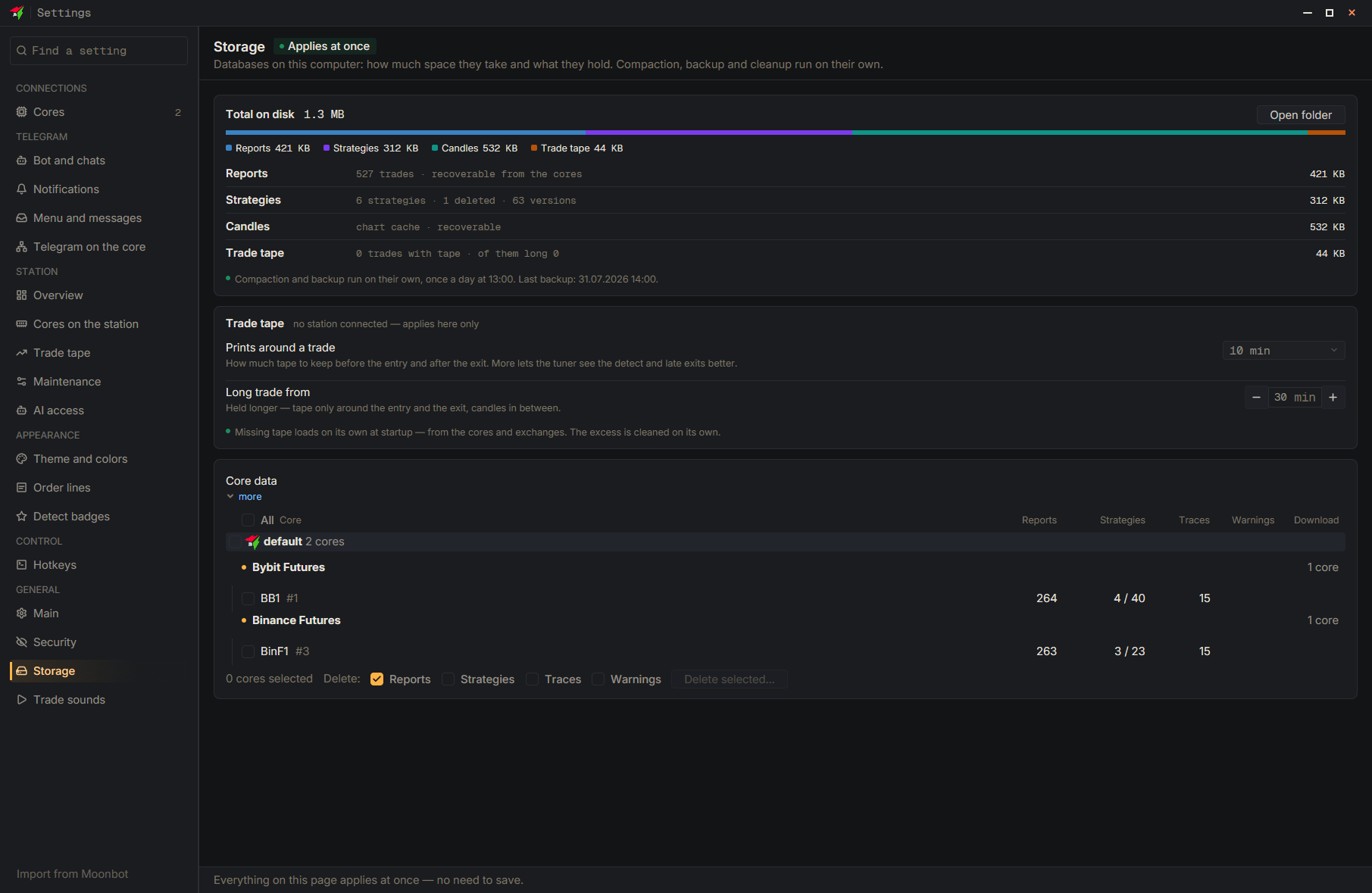
Open the “Storage” page: it shows the sizes of the report, strategy, trade feed and candle databases, plus the total disk usage. Database compression and the backup run automatically once a day; the time and date of the last backup are shown on the page. The “Open folder” button opens the folder with the files, and the “Core data” table lets you delete the data of individual cores. The page works without “Save”.
- Settings
- Storage
- Total on disk — Database sizes and time of the last backup
- Open the folder