MoonTerminal · Screener and panels ·
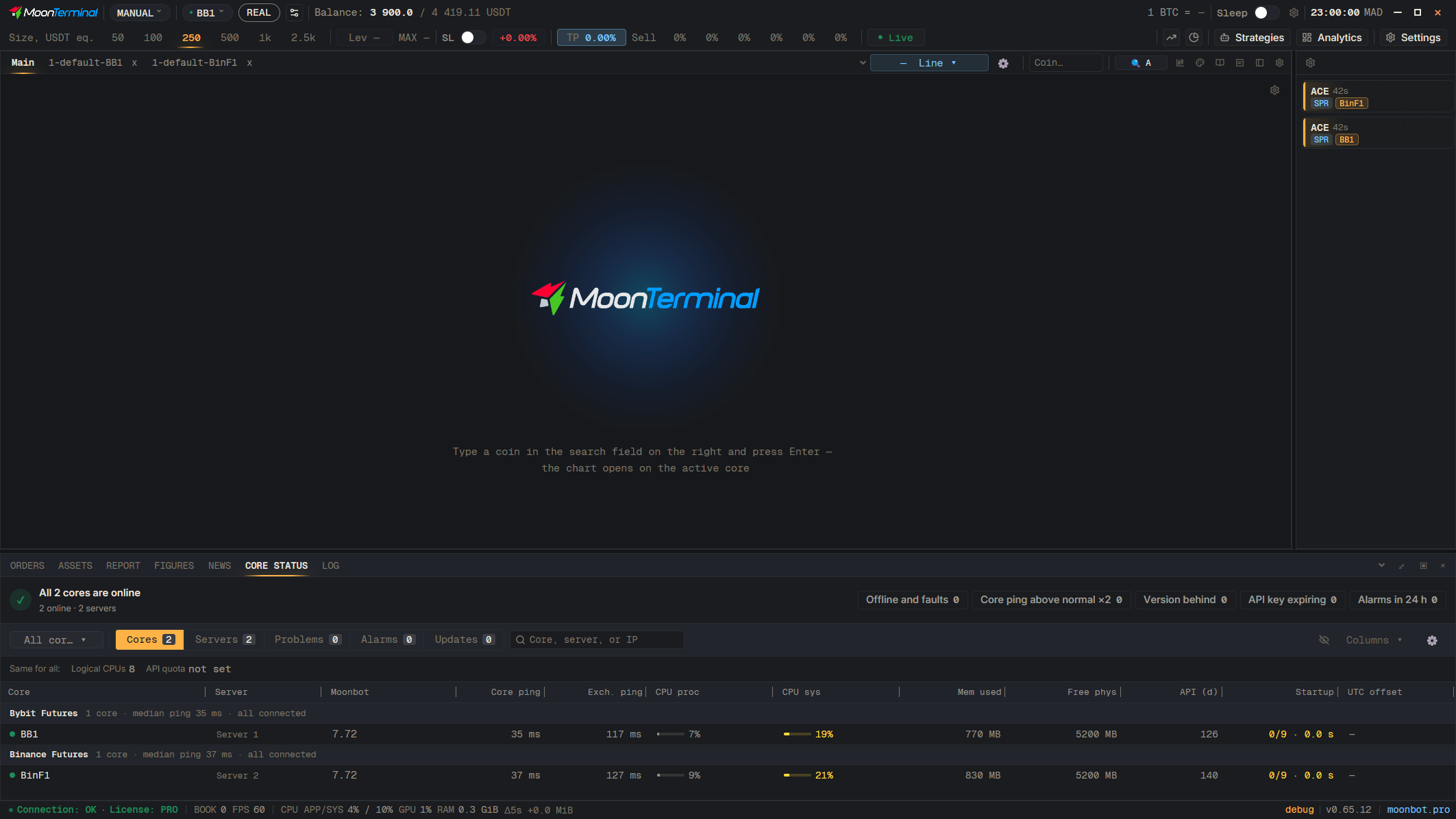
Open the “Core status” tab in the bottom dock. “Servers” mode groups cores by server and shows CPU and free memory; “Cores” mode gives a table with the columns “CPU proc”, “CPU sys”, “Memory” and “Core ping”. “Problems” and “Alerts” modes show what the cores reported and what fired over the past day. The alert thresholds for CPU, memory, connection and ping are set by the gear icon “Alerts: what to catch” next to the modes.
- Core status
- Servers — Mode switch: Cores, Servers, Problems, Alerts, Updates
- Alerts: what to catch — Gear icon; thresholds for CPU, memory, connection, ping