MoonTerminal · Telegram bot ·
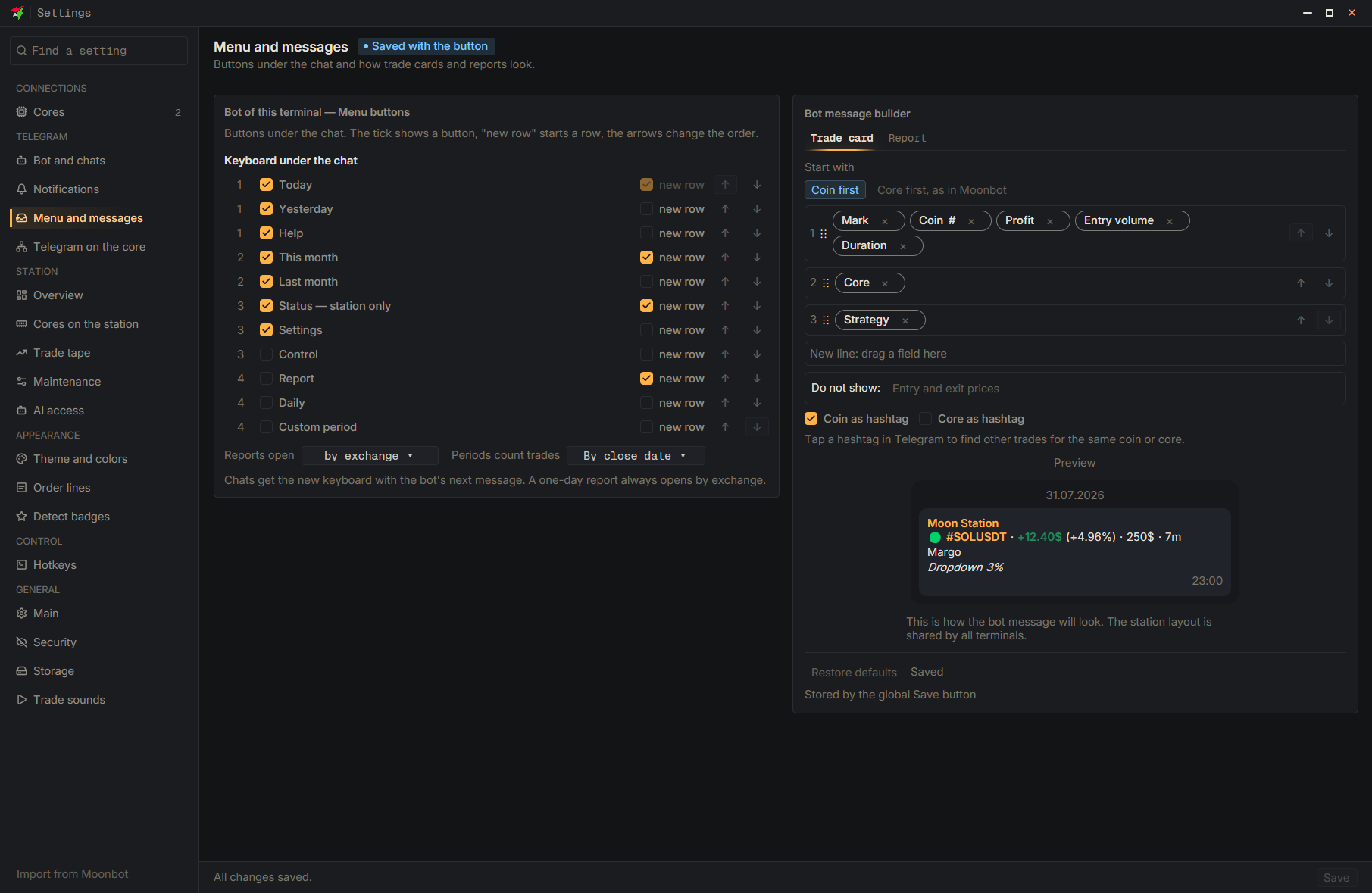
The bot has a “Controls” section (for the chat owner only): choosing a core or “All cores”, starting and stopping trading, “PanicSell all”, “Cancel buy orders”, “Reconnect”, open positions with PanicSell per position, enabling strategies, the core's blacklist and the temporary blacklist. By default the button is hidden: show it with the “Controls” checkbox on the “Menu and messages” page and click “Save”. On the station, the section enables the full profile (orders and strategies cost more traffic and processor) and takes effect after the station restarts.
- Settings
- Menu and messages
- Control — The “show button” checkbox
- Save — At the bottom of the settings window