MoonTerminal · Hotkeys ·
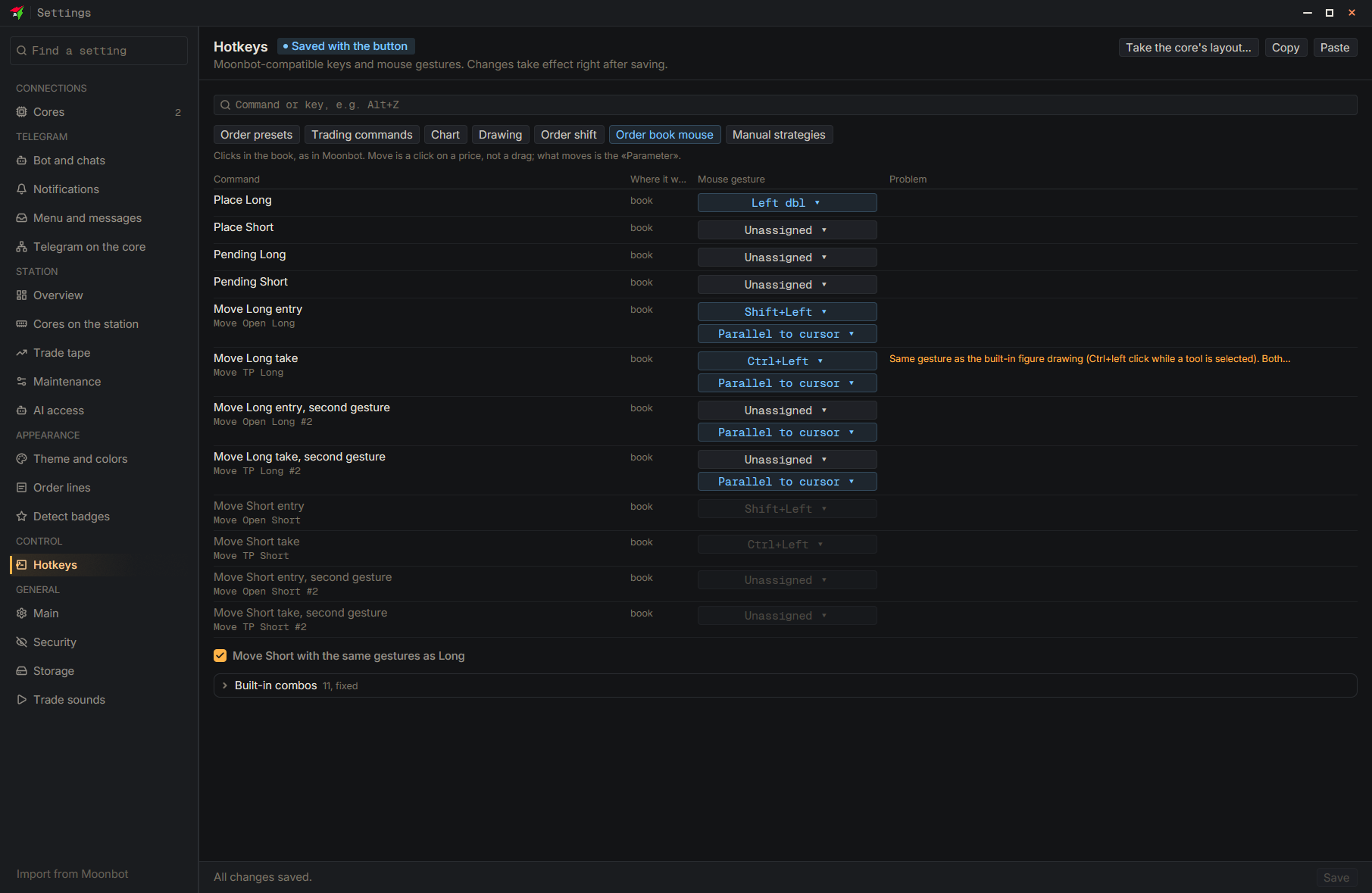
By default a double-click in the order book places a Long. To turn it off, in the “Order book mouse” group set the gesture for the “Place Long” row to None and click “Save”; the keyboard hotkeys for Long and Short stay. For a hidden order book there is also the “Order zone with the book hidden” checkbox in the chart drawing settings.
- Settings
- Hotkeys
- Order book mouse
- Place Long — Choose the None gesture
- Save — At the bottom of the settings window