MoonTerminal · Connecting cores ·
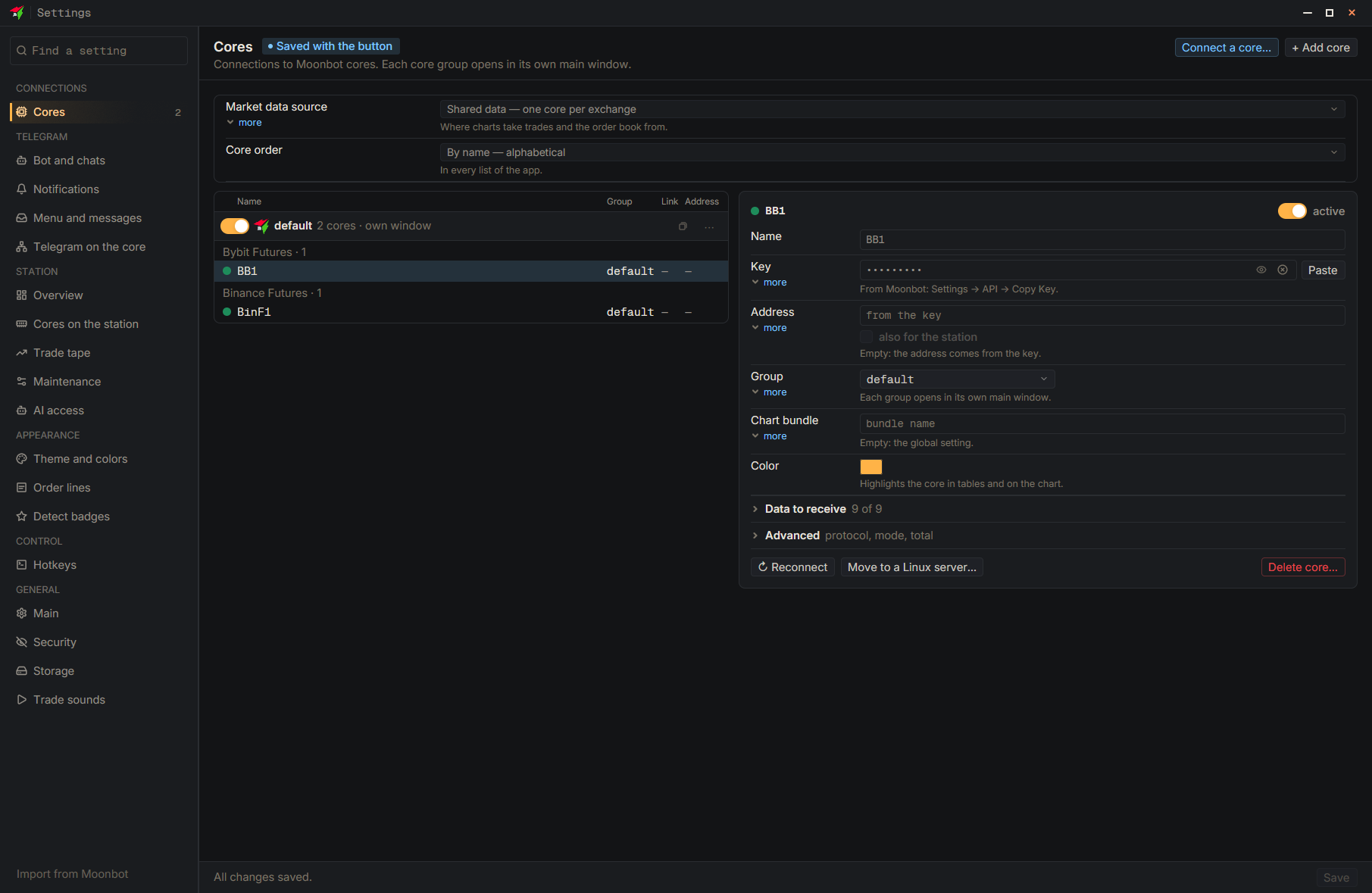
The terminal does not trade on its own: it connects to a Moonbot core using a key issued by Moonbot, not by the terminal. In Moonbot, turn on Kernel (VPS), set the port and the V0/V1/V2 version, press Apply, and only then press Copy Key: the key carries the address, port and mode with it. In the terminal, press “Add core”, paste the key with the “Paste” button, and press “Save”; there is no need to enter the address and port. The core’s UDP port must be open both at your hosting provider and in the machine’s firewall.
- Moon Kernel → Settings (in Moonbot) — In Moonbot: green dot at the bottom left, the Moon Kernel line, Settings, the Settings tab of the Moon Proto window
- Kernel (VPS) — In Moonbot: turn it on, set Port and V0/V1/V2, press Apply
- Copy Key — In Moonbot: if there is no key yet, first press New Key; copy after Apply
- Settings
- Add core
- Paste — Paste the whole key
- Save — At the bottom of the settings window